Tessera takes a folder of photos and your own Canva artwork, and turns them into finished Instagram posts that all belong to the same page — then plans the upload order so your grid stays composed.
It runs on your computer. One price, no subscription.
Windows and macOS · One-time payment · 30-day refund, no questions
You post three times a week. Each one is twenty minutes in Canva: open last week's file, swap the photo, nudge it until it sits right, export, upload.
By post forty the nudging has drifted. Some photos sit high, some low. Your grid looks like four different people made it — because in a way they did. You, across four months, eyeballing it each time.
A card, an opening where the photo goes, a strip below it for a line of text. Canva, Figma, whatever you use. Export a PNG.
It measures your artwork — the opening, the card around it, how much text the strip holds. Nothing is typed in as coordinates. If the artwork can't work, it says why now, not mid-batch.
Every one fitted to your opening, at its real angle. Text set square on the card. Out come finished 1080 × 1350 images, in the order to upload them.
Other tools ask you to pick from their templates, or to type x and y coordinates. Tessera reads the shape of the opening straight out of your PNG — including its tilt — and fits each photo to that shape.
Redraw the card and every future post follows. The look is yours because the look is your file.
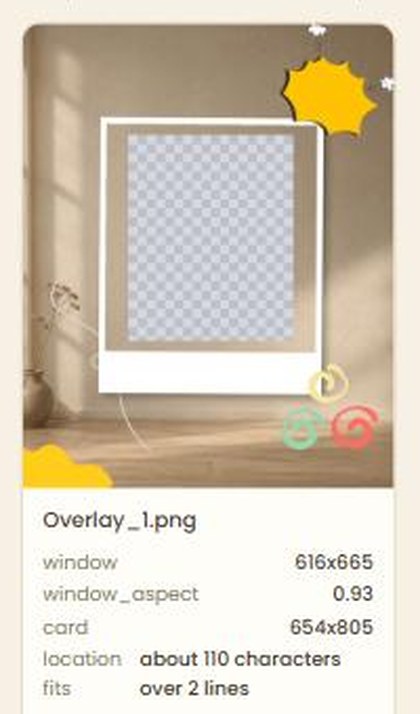
Upload a template and it tells you what it found: a 616 × 665 opening, a 654 × 805 card, about 110 characters on the strip below.
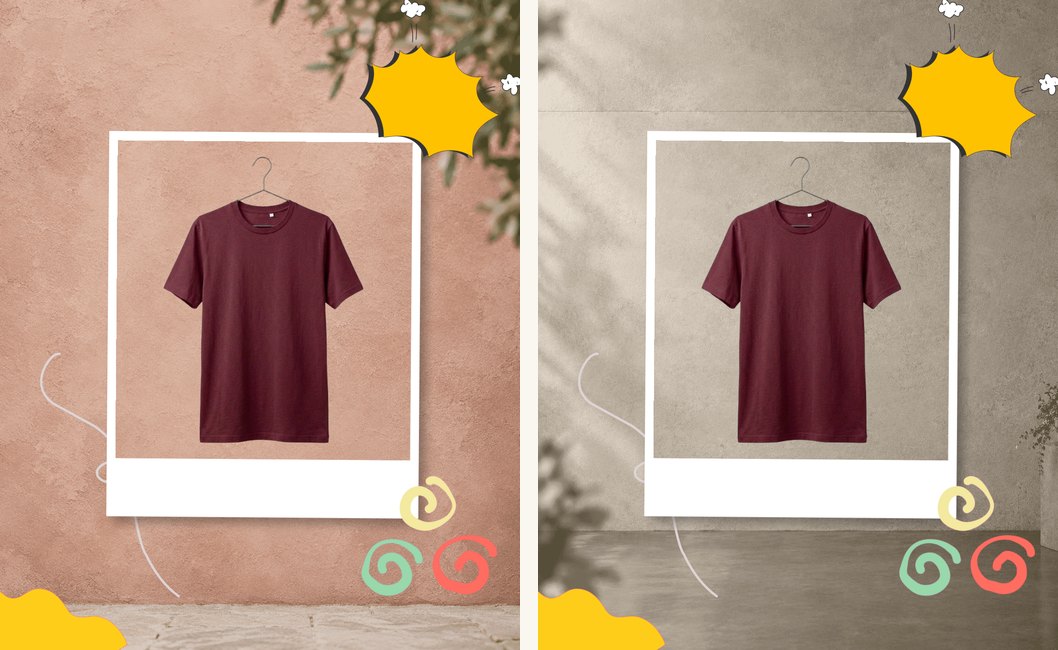
A cut-out on a transparent background is placed entire — sleeves and all — with your scene showing behind it. Sized from the product itself rather than from however much empty space the file happened to have, so the fortieth lands the same size as the first.
Instagram shows three across. Tessera plans your posts in blocks of nine, so the profile reads as a composition rather than a pile — and if every ninth tile is a different kind of post, it puts that where you want it and tells you which post is next.
It also tells you how many days of posting you have ready.
Tessera writes a prompt from your own rules — your language, your tone, the things your page never says, how many hashtags and which ones. Paste it into whatever chatbot you already use, with the photos attached, and paste the answer back.
No API key needed. If you have one, the same pass runs without the copying. And if you write your own captions, switch the whole thing off and Tessera never mentions it again.
It doesn't post for you. Tessera makes the images and the captions, in upload order; you upload them. Automatic posting needs a Business account tied to a Facebook Page and Meta's approval, and plenty of people have neither.
It doesn't design for you. You bring the artwork. If you don't have a look yet, Tessera won't invent one.
It doesn't send your work anywhere. No account, no upload, no cloud. Your photos stay in your folder.
Launch price, first 20 buyers. One payment, not a subscription.
Windows 10/11 and macOS · Needs Python 3.10+, the installer tells you where
No. Download it, double-click one file. It sets itself up and opens in your browser. If you've installed anything before, you can install this.
Only if you want help with captions, and even then you can paste Tessera's prompt into a free chatbot. Everything else — templates, fitting, text on the card, the grid — works with no account at all.
Yes. Windows 10/11 and macOS. It needs Python 3.10 or newer; the installer tells you where to get it if you don't have it.
No. Canva Pro can export a transparent PNG, which is one way to mark the photo opening — but you can also fill that area with flat magenta, which works on the free plan. The guide inside Tessera shows both.
Yes, including paid work, with as many brands as you like. You just can't pass Tessera itself on to the client.
It tells you the moment you upload it — no opening found, the strip is too short for a line of text — and what to change. That's the feature, not an error message.
It runs on your machine and doesn't depend on anyone's API, so it keeps working whether or not this website does.
Draw the template once. Let the other ninety-nine posts take care of themselves.
30-day refund, no questions asked